Flicker is the most common complaint in display case lighting – and the most damaging one. In a jewelry or collectibles cabinet, a flickering light does not just look bad: it draws the customer’s eye away from the merchandise and signals that something is wrong with the display itself. The good news is that flicker almost always comes from one of six identifiable causes, and each has a specific fix. Work through them in order of likelihood below.
Last updated: November 2026

The six causes, in order of likelihood
| Cause | Typical symptom | The fix |
|---|---|---|
| 1. Dimmer-driver mismatch | Flickers at certain brightness levels, fine at full power | Use a driver tested compatible with the dimmer, or bypass the dimmer to confirm |
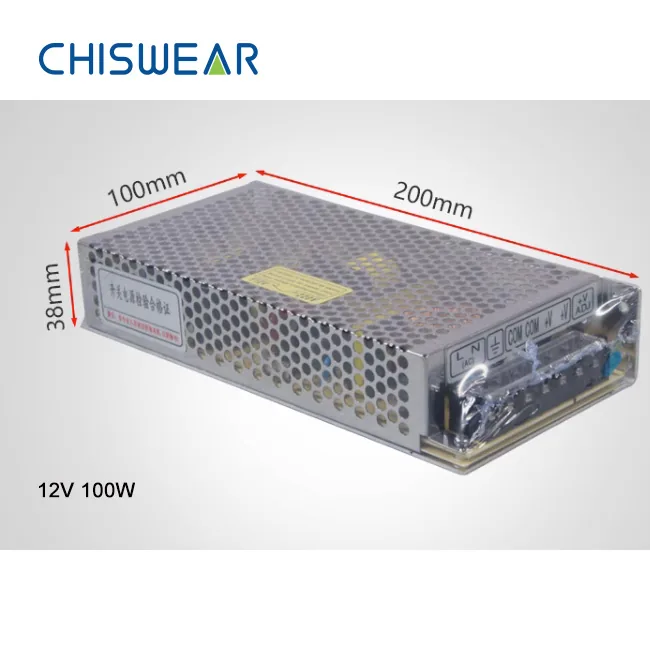
| 2. Overloaded driver | Flicker or shutdown after the case warms up | Keep load at or below 80% of driver rating (see the driver selection guide) |
| 3. Poor head-to-track contact | One head flickers; others are stable | Clean the conductor strips, reseat the head, swap positions to confirm |
| 4. Loose wiring at connectors or feed | Whole circuit flickers randomly | Inspect and re-terminate the power feed and connector joints |
| 5. Voltage drop on long runs | Heads far from the power feed are dim or unstable | Add a second power feed point instead of upsizing the driver |
| 6. End-of-life head or driver | Flicker starts after years of service, one component only | Replace the failed head or driver – and carry spares for next time |

The 6-step diagnostic, in practice
Step 1 – Isolate the scope. One flickering head or the whole circuit? A single head points to contact or head failure (causes 3 and 6). A whole circuit points upstream to the driver, dimmer or wiring (causes 1, 2, 4, 5).
Step 2 – Test at full brightness. Run the lights at 100% with the dimmer out of the circuit. Flicker gone? The dimmer-driver combination is the problem – a mismatch between phase-cut, 0-10V, PWM or DALI control produces flicker that only appears within the dimming range.
Step 3 – Check the driver load. Add up the wattage of every head on the circuit and compare with the driver’s rated output. If the total exceeds 80% of the rating, the driver runs hot and its protection circuits trip intermittently – experienced as flicker or random shutdowns. This is the most avoidable failure in low-voltage installations; the sizing formula is in our driver selection guide.
Step 4 – Reseat and swap heads. Slide the flickering head to a position where another head runs stable. If the flicker follows the head, the head is failing. If the flicker stays with the position, clean the conductor strips in that section – display cabinets collect polishing compound, dust and debris faster than any ceiling installation.
Step 5 – Check the camera. Point a phone camera at each lit head in slow-motion mode. Rolling dark bands mean flicker that the eye perceives only as glare or fatigue. Do this across the full dimming range – it is the single fastest commissioning check we know, and it is on our standard pre-handover checklist.
Step 6 – Fix the root cause, not the symptom. Do not “solve” flicker by locking the dimmer at full brightness. Identify which of the six causes it is and fix that – otherwise the same fault returns after the next deep-clean or store re-fit.
Prevention costs less than diagnosis
- Specify the driver with headroom (total wattage × 1.25 minimum) – heat is what kills drivers, and headroom is what buys years of life.
- Test the dimmer with one sample driver on site before ordering the full project.
- Keep a spares package – 2-5% extra heads and one spare driver per site. A jewelry counter cannot wait for a sea shipment.
- Clean conductor strips at every deep-clean, and cover the track opening during cabinet refinishing work.
Frequently asked questions
Why do display case lights flicker only at certain brightness levels?
This almost always indicates a dimmer-driver mismatch. When flicker appears in the middle of the dimming range but not at full brightness, the dimmer and driver are using incompatible control methods. Test at full brightness with the dimmer bypassed – if flicker disappears, replace the dimmer or use a driver tested compatible with it.
Can dust really make a display case light flicker?
Yes. Display cases are dusted, polished and re-arranged constantly, and debris on the conductor strips inside the track breaks electrical contact intermittently. It is one of the most common causes of flicker in cabinets that worked perfectly when first installed. Cleaning the contact strips usually restores stable contact.
How do I check for flicker that my eyes cannot see?
Open your phone camera in slow-motion mode and point it at the lit head. Visible dark bands rolling across the image indicate flicker that the eye perceives only as fatigue. Do this check across the full dimming range before accepting any installation.
Get help with a flickering installation
Send us a video of the flicker plus your head count and driver rating, and our team will tell you which of the six causes you are looking at – before you spend money replacing parts. Start from the showcase & display case lighting guide, the driver selection guide, or contact us directly.